AVA PRO and AVA MISSION CONTROL have been updated to version 1.01. Click here for info.
♿ Built for Live Performance Venues

Audience Management.
Reimagined.

AVA gives Front of House teams everything they need to deliver an outstanding accessible experience — from the moment the doors open to the final curtain.


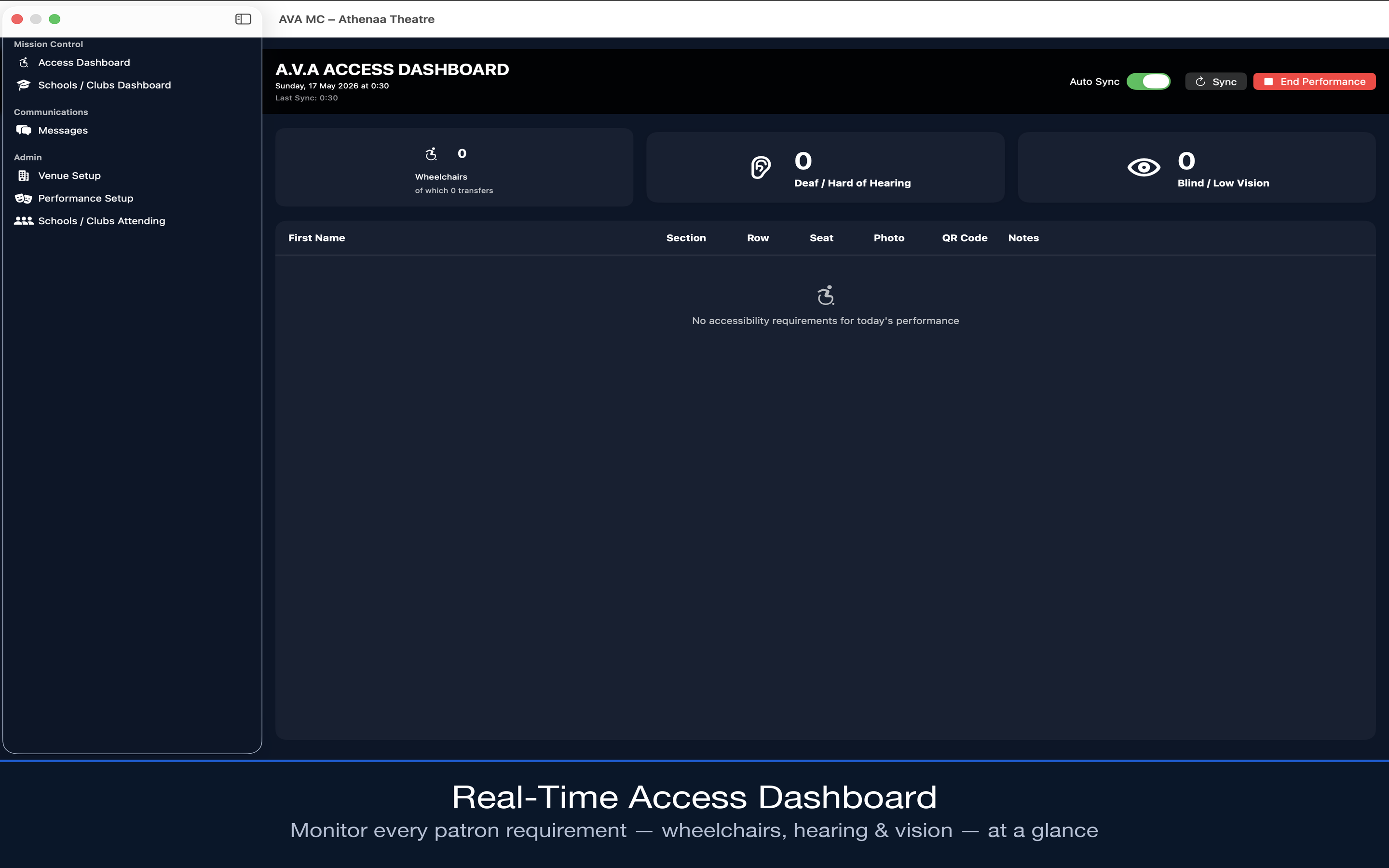
AVA Mission Control Dashboard
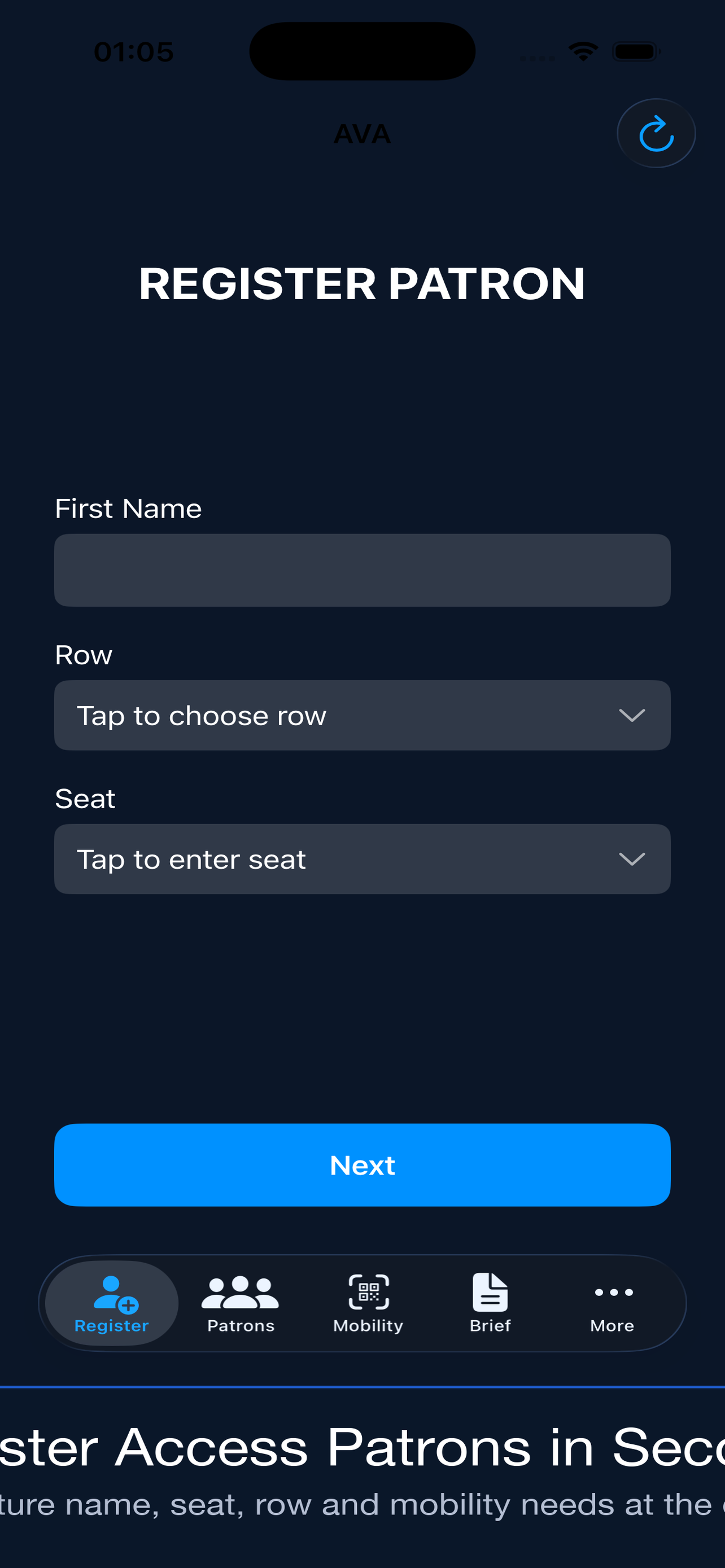
AVA Pro on iPhone

Everything your access
team needs, in one system.

Two apps. One shared iCloud database. Real-time sync across your entire Front of House team.

Patron Registration

Register access patrons at the door in seconds. Capture mobility aids, seating, assistance needs, early access status, and stage door parking.

📡

Live Sync

Every patron, message, and update syncs instantly across all iOS devices and the Mac dashboard through Apple's CloudKit. No manual refresh required.

📷

QR Mobility Scanner

Scan QR-coded mobility aid tags to instantly pull up a patron's requirements. Perfect for rapid handovers and busy foyers.

📋

Performance Briefing

Set up each show with full accessibility detail — wheelchair count, hearing loop, vision requirements, early access, and supervisory contacts.

🗺

Seat Map Viewer

Upload PNG, JPEG or PDF seat maps in Mission Control and they appear instantly on every iOS device. Assign different maps per show.

💬

Broadcast Messages

Send instant messages from Mission Control to the entire floor team. Banner notifications mean nothing gets missed mid-performance.

🏫

Schools & Groups

Track school and community group bookings, access needs, student and teacher counts, and live arrival status — all in one view.

This feature has been temporarily removed whilst we reevaluate the best options and features.

🔒

Completely Private

All data lives in your organisation's private iCloud account. AVA Systems has zero access. No third-party servers. No external accounts.

Built for the Floor

High-contrast dark UI that works in the dark of an auditorium. Fast to learn, fast to use, and reliable under the pressure of a live show.

The complete
access management suite.

AVA Pro puts the tools in your staff's hands. Mission Control gives managers full oversight from the desktop.

AVA Pro Icon

AVA Pro

iOS · iPhone & iPad

The front-line tool for access stewards and Front of House staff. Register patrons, scan mobility aid tags, view the seat map, read the performance briefing, and receive instant messages — all from iPhone or iPad.

Download AVA Pro on the App Store
Mission Control Icon

AVA Mission Control

macOS · Mac App Store

The manager's command centre. Configure your venue, set up performances, upload seat maps, manage staff, and broadcast messages to your entire floor team — all from your Mac.

Download AVA Mission Control on the Mac App Store

One iCloud Account.
Everything in Sync.

Sign both apps into the same iCloud account and every patron registration, seat map, message, and performance update flows instantly between Mac and iOS. No setup. No servers. No friction.

Download AVA Mission Control on the Mac App Store

AVA Web

Our flagship Mission Control and AVA apps are coming to the web — no Mac, no iPhone needed. The full AVA experience, live in any browser, on any device.

🌐 No Mac or iOS device required  ·  Works in any browser

Simple pricing for
your whole team.

One licence covers unlimited staff devices. No per-seat fees, no subscriptions.

🎉 Special Launch Price
£200
One-time purchase · Unlimited devices · Both apps included
  • ✓ AVA Pro for iPhone & iPad — unlimited installs
  • ✓ AVA Mission Control for Mac
  • ✓ All features included — no upsells
  • ✓ Real-time iCloud sync across your entire team
  • ✓ Free updates included
  • 🌐 AVA Web included free when it launches
Limited time launch price. Price will increase after initial release.
Download AVA Pro on the App Store Download AVA Mission Control on the Mac App Store
🌐 Coming Soon
£79.99
Per year · Browser-based · No Mac or iOS required
  • ✓ AVA Mission Control — full web version
  • ✓ AVA Pro — full web version for floor staff
  • ✓ Set & manage performances from any browser
  • ✓ Register & manage access patrons
  • ✓ Live seat map & wheelchair space management
  • ✓ Real-time broadcast messages to floor team
  • ✓ Staff management & roles
  • ✓ Works on any device — Windows, Android, tablet
  • ✗ Does not include iOS or Mac apps
AVA Web is in development. Pricing and features subject to change before launch.
Notify me when available

Up and running
before curtain up.

AVA is designed to be live in minutes. No training courses. No onboarding calls.

1

Set Up Your Venue

Open AVA Mission Control on your Mac. Enter your venue name, add your resident shows, configure wheelchair spaces, and upload your seat map.

2

Distribute AVA Pro

Install AVA Pro on every iPhone or iPad your staff will use. Sign in with the same iCloud account and the venue configuration appears immediately.

3

Go Live

Set up the performance in Mission Control, brief your team, and open the doors. Patron registrations, messages, and updates sync in real time.